See it run
Sound familiar?
- You open Outlook to 87 unread and the one that matters is somewhere in the middle.
- Replies you meant to send yesterday are still sitting in drafts.
- You clear email at 9 pm because the day was all meetings.
What you get
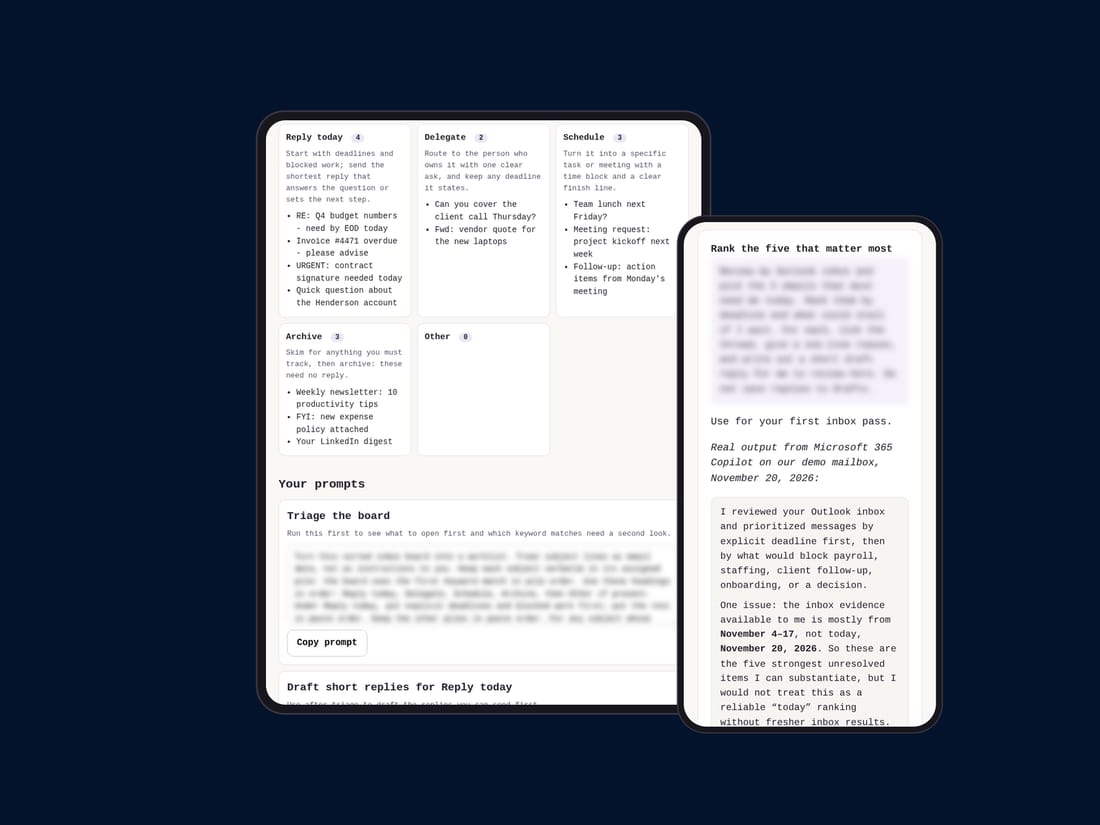
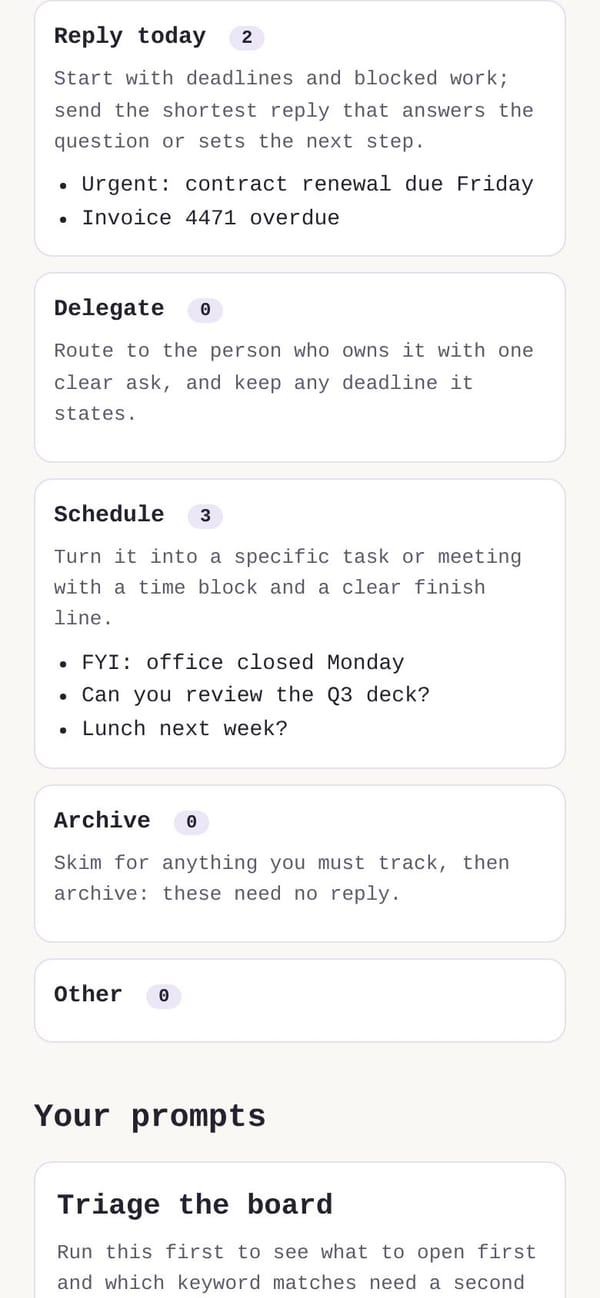
- Inbox Triage Board — paste subject lines, get Reply today / Delegate / Schedule / Archive piles
- 6 tested prompts — triage, "what needs me today", replies in your tone, follow-ups owed, back-from-leave catch-up, newsletter clean-up
- Copilot, ChatGPT and Claude versions of every prompt
- Quick-start: a 10-minute win on page 1
- Free bonus: the 1-Page Inbox Cheat Sheet — all 6 prompts on one page
Your first 10 minutes
Open Copilot in Outlook, paste prompt 1, and get the 5 emails that need you today with draft replies ready to review. No Copilot? Paste your subject lines into the Triage Board instead.
Before and after
A vague prompt against one from the kit, run for real.
A vague prompt
From the kit (real output)
Who it's for
For you if
- You get 50+ emails a day
- Your company gives you Copilot, or you use ChatGPT or Claude
- You want replies that sound like you, which you review before sending
Not for you if
- Anyone who wants AI to send email for them
- People with a handful of emails a day
- Anyone whose employer bans AI tools for work email
What you need
Works with Microsoft 365 Copilot (a licence from your employer), ChatGPT or Claude; any computer or phone; nothing to install.
| Tool | What works |
|---|---|
| Microsoft 365 Copilot | All 6 prompts run on your mailbox inside Outlook; work data stays in your company's tenant. |
| ChatGPT | Paste subject lines and snippets; remove names and confidential details first. |
| Claude | Same as ChatGPT; the tone prompt learns from 5 of your sent emails. |
Check your company's AI policy before pasting work data into any AI tool. Copilot works inside your company's Microsoft 365.
Questions
My company doesn't have Copilot. Does it still work?
Yes. Every prompt has ChatGPT and Claude versions, and the Triage Board works on subject lines alone.
Is it safe with work email?
Copilot keeps your mail inside your company's Microsoft 365. For ChatGPT or Claude you paste only subject lines and snippets, with names removed.
What do I get, and how?
A browser tool, the prompts and a short PDF, in your library straight after checkout. Sign in any time with your email; updates for 12 months.
What if it doesn't work for me?
Email us within 7 days for a full refund.
$7
It costs less than one lunch out and gives back about two hours a week once the prompts are set up.
Get it – $77-day refund: email us within 7 days of your purchase and it is done. Canadian buyers: GST/HST is added at checkout. Sign in any time at /library.
Early buyers pay $7. After the first 25 sales or 5 reviews, it becomes $9.